

Fleet management software can influence nearly every part of a transportation operation, from vehicle tracking and driver safety to fuel consumption, maintenance planning, regulatory compliance, and customer service. Choosing the right platform is therefore a strategic business decision rather than a simple software purchase.
The market includes basic GPS tracking applications, specialized compliance tools, and comprehensive platforms that connect vehicles, drivers, dispatchers, assets, and administrative teams. Although these products may appear similar during an initial demonstration, their hardware requirements, integrations, reporting capabilities, support models, and total costs can differ significantly.
Before signing a contract, fleet operators should determine which problems they want to solve and ask providers specific questions about how their systems work. The following questions can help businesses compare fleet management platforms objectively and avoid purchasing technology that does not meet their long-term requirements.
1. What Fleet Problems Do We Need to Solve?
The evaluation should begin internally. A business cannot select the right platform without first defining what it expects the software to improve.
Common operational challenges include:
- Limited visibility into vehicle locations;
- Inefficient routes;
- Excessive fuel consumption;
- Prolonged vehicle idling;
- Unauthorized vehicle use;
- Unsafe driving behavior;
- Unplanned maintenance;
- Poor asset utilization;
- Delivery delays;
- Incomplete compliance records;
- Time-consuming administrative processes.
Fleet managers should rank these problems according to their operational and financial impact. A company primarily concerned about vehicle theft may prioritize real-time tracking, geofencing, and unauthorized-movement alerts. A long-haul trucking business may place greater emphasis on ELD integration, Hours-of-Service records, IFTA reporting, and fuel efficiency.
Each problem should also be connected to a measurable objective. Examples include reducing average idle time, lowering fuel consumption per mile, improving on-time deliveries, decreasing speeding incidents, or reducing unplanned maintenance downtime.
These objectives provide a foundation for comparing providers and measuring return on investment after implementation.
2. Is the Software Suitable for Our Fleet?
Not every platform is designed for every type of fleet. Some products are optimized for small service fleets, while others are built for commercial trucking, construction, agriculture, passenger transportation, or large enterprise operations.
Ask the provider whether the system supports:
- Heavy-duty commercial trucks;
- Light commercial vehicles;
- Passenger buses;
- School buses;
- Trailers and containers;
- Construction machinery;
- Agricultural equipment;
- Non-powered assets;
- Mixed fleets.
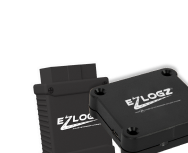
A mixed fleet may require several device types. Powered vehicles can often use hardwired or plug-and-play trackers, while trailers and equipment may require battery-powered devices with long operating life and environmental protection.
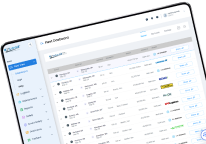
The provider should demonstrate how different vehicles and assets appear within the same dashboard. Managers should be able to organize them by terminal, department, region, vehicle type, or operational status.
3. Does It Provide Reliable Real-Time GPS Tracking?
Real-time vehicle tracking is one of the fundamental functions of fleet management software, but tracking quality varies among providers.
Ask how frequently vehicle locations are updated. An advertised “real-time” system may update every few seconds, every minute, or at longer intervals. The appropriate frequency depends on the operation. Time-sensitive delivery and dispatch fleets may need frequent updates, while long-term asset monitoring may prioritize battery life.
Other important questions include:
- How accurate is the location data?
- Can managers view speed and direction?
- Is complete trip history available?
- How long is historical data retained?
- Can users replay previous routes?
- What happens when cellular coverage is unavailable?
- Does the device store data and upload it later?
- Can vehicles be tracked through a mobile application?
- Can several users monitor the fleet simultaneously?
Managers should test the platform using vehicles operating in urban, rural, and low-coverage areas that reflect their actual routes.
4. What Geofencing and Alert Features Are Available?
Geofencing allows managers to create virtual boundaries around customer locations, warehouses, terminals, construction sites, restricted areas, or other important zones.
The system can notify authorized users when a vehicle enters or leaves a geofence. This information can help businesses verify arrivals, monitor unauthorized movement, automate site activity records, and protect vehicles or equipment.
Ask whether the platform supports alerts for:
- Geofence entry and exit;
- Speeding;
- Excessive idling;
- Route deviations;
- Unauthorized vehicle use;
- Out-of-hours movement;
- Device disconnection;
- Maintenance requirements;
- Low battery levels;
- Unexpected stops.
Alerts should be customizable. A system that generates too many low-priority notifications can create alert fatigue, causing users to overlook important events.
Determine whether notifications can be sent through email, text message, mobile push notification, or the fleet dashboard. Administrators should also be able to control which users receive each type of alert.
5. Can the System Improve Driver Safety?
Unsafe driving can increase accident risk, fuel consumption, maintenance expenses, insurance exposure, and vehicle wear. Fleet management software should help managers identify repeated behavior patterns and support constructive driver coaching.
Ask which events the system can monitor. Common examples include:
- Speeding;
- Harsh braking;
- Rapid acceleration;
- Sharp cornering;
- Excessive idling;
- Seat belt violations;
- Unauthorized driving;
- Distracted driving.
Find out whether the system creates driver scorecards and whether scoring criteria can be adjusted. Driver comparisons should account for route type, vehicle category, weather, traffic, and operational context.
If the platform supports dashcam integration, ask whether video is automatically associated with telematics events. Combining video with speed, braking, and location data can provide a more complete picture of what occurred before and during a safety incident.
The goal should be to improve safety through evidence-based coaching, not simply to collect disciplinary information.
6. How Does the Platform Help Reduce Fuel Costs?
Fuel is one of the largest operating expenses for many commercial fleets. Fleet management software can help identify activities that lead to unnecessary consumption.
Ask whether the system measures:
- Idle time;
- Speeding;
- Rapid acceleration;
- Unnecessary mileage;
- Route efficiency;
- Unauthorized trips;
- Fuel purchases;
- Fuel consumption by vehicle;
- Differences between expected and actual usage.
GPS information alone may not provide a complete fuel analysis. Verify whether the platform obtains data through a vehicle connection, fuel cards, telematics devices, or a dedicated fuel management system.
Reports should allow managers to compare vehicles, drivers, routes, and time periods. This makes it easier to determine whether high fuel consumption is caused by driver behavior, mechanical problems, operating conditions, or inefficient dispatching.
7. What Maintenance Tools Are Included?
Reactive maintenance can result in expensive repairs, missed deliveries, and prolonged downtime. A suitable fleet management platform should support preventive maintenance based on mileage, engine hours, dates, inspections, or vehicle diagnostics.
Ask whether the system provides:
- Preventive maintenance schedules;
- Mileage-based service reminders;
- Engine-hour tracking;
- Diagnostic trouble codes;
- Battery or engine alerts;
- Daily Vehicle Inspection Reports;
- Repair history;
- Service documentation;
- Vehicle downtime reports;
- Maintenance cost records.
The platform should make it easy to identify vehicles with overdue service or unresolved defects. Automated notifications can help maintenance teams respond before minor issues develop into operational failures.
Ask whether drivers can submit inspection reports through a mobile application and whether managers can track the resolution of reported defects.
8. Does It Support Route Planning and Dispatching?
Vehicle location is useful, but fleet operators also need tools that help dispatchers make better decisions.
Ask whether the software can:
- Plan and optimize routes;
- Assign vehicles or drivers;
- Compare planned and completed routes;
- Identify route deviations;
- Calculate estimated arrival times;
- Monitor stops and dwell time;
- Locate the nearest available vehicle;
- Reroute vehicles when conditions change;
- Share arrival information with customers.
Route tools should reflect the fleet’s operating environment. Commercial trucks may require routing that considers vehicle dimensions, weight limitations, restricted roads, bridge clearances, and other industry-specific conditions.
The provider should demonstrate the complete dispatch workflow rather than showing only a map with vehicle locations.
9. What Compliance Features Are Available?
Commercial fleets may need to comply with regulations concerning driving hours, vehicle inspections, fuel tax reporting, record retention, and road safety.
Ask whether the platform supports:
- Electronic Logging Devices;
- Hours-of-Service records;
- Driver logs;
- DVIR management;
- IFTA reporting;
- Vehicle inspection documentation;
- Compliance alerts;
- Audit-ready reports.
Verify which features are native to the platform and which require separate products or subscriptions.
The provider should explain how records are created, corrected, approved, stored, and exported. Managers should also understand what happens if a device loses connectivity or a driver changes vehicles during a shift.
Compliance tools should reduce manual administrative work while maintaining accurate and accessible records.
10. Which Reports and Analytics Are Included?
A fleet platform may collect large quantities of data, but that data has limited value if managers cannot convert it into actionable information.
Ask to see reports covering:
- Vehicle utilization;
- Driver performance;
- Speeding events;
- Idle time;
- Fuel consumption;
- Mileage;
- Route efficiency;
- Geofence activity;
- Maintenance status;
- Arrival and departure times;
- Unauthorized use;
- Vehicle costs.
Reports should be understandable without extensive manual processing. Managers should be able to filter information by vehicle, driver, terminal, department, asset category, or reporting period.
Ask whether reports can be customized, scheduled, and automatically sent to designated recipients. Confirm which export formats are available and whether historical reports remain accessible throughout the contract.
A dashboard should highlight exceptions and trends rather than forcing users to review every individual vehicle manually.
11. Is the Software Easy to Use?
A platform can have advanced features and still fail if drivers, dispatchers, and managers find it difficult to operate.
During the demonstration, ask the provider to perform practical tasks:
- Locate a specific vehicle;
- Review its trip history;
- Create a geofence;
- Configure a speeding alert;
- Generate an idle-time report;
- Identify vehicles requiring maintenance;
- Add a new user;
- Change user permissions;
- Export operational data.
The interface should make frequent tasks easy to complete. Important information should not be hidden behind unnecessary menus or overly complicated dashboards.
Ask how much training is typically required for drivers, dispatchers, administrators, and maintenance teams. A mobile application should also be evaluated separately because its functionality may differ from the desktop platform.
12. Can It Integrate with Existing Systems?
Fleet management software should become part of the company’s technology environment rather than create another isolated source of data.
Ask whether it integrates with:
- ELD systems;
- Dashcams;
- Fuel cards;
- Maintenance platforms;
- Dispatch software;
- Load boards;
- Payroll systems;
- Accounting software;
- ERP platforms;
- CRM systems;
- Customer communication tools.
Integrations can reduce duplicate data entry, improve accuracy, and give managers a more complete view of fleet performance.
Confirm whether an advertised integration is already available, requires custom development, or depends on a third-party provider. Ask about implementation costs, data synchronization frequency, technical support, and responsibility for resolving integration failures.
13. Is API Access Available?
An application programming interface allows a company to transfer information between the fleet platform and other business systems.
Companies with specialized workflows should ask:
- What information is available through the API?
- Can data be read and written?
- How frequently is information updated?
- Are there usage or request limits?
- Is technical documentation available?
- Are webhooks supported?
- Is API access included in the standard subscription?
- Who provides integration support?
An API can be particularly valuable for large fleets, custom dispatch platforms, customer portals, and automated reporting systems. However, access alone is not enough. The documentation, data quality, authentication method, and technical support must also be evaluated.
14. How Is Fleet Data Protected?
Fleet platforms collect sensitive information about vehicles, drivers, routes, customers, cargo movements, and business operations. Security should therefore be a central purchasing criterion.
Ask the provider:
- How is data protected during transmission?
- How is stored information secured?
- Are individual user accounts required?
- Can administrators configure role-based permissions?
- Is multi-factor authentication available?
- How often is data backed up?
- Where is the information stored?
- How long is historical data retained?
- Who owns the collected information?
- Can data be exported when the contract ends?
- How are security incidents handled?
Internal access also matters. Drivers, dispatchers, maintenance personnel, and company administrators may require different information. The system should allow the company to restrict access according to each user’s responsibilities.
15. Can the Platform Scale with the Business?
A system suitable for a small fleet may become difficult to manage after the business adds vehicles, terminals, users, or services.
Ask whether the platform can support:
- A growing number of vehicles;
- Additional trailers and assets;
- Multiple terminals;
- Several operating regions;
- Different business divisions;
- Mixed vehicle categories;
- More user accounts;
- New integrations;
- Larger reporting volumes.
The software should allow administrators to group vehicles and assign permissions without rebuilding the account structure every time the fleet expands.
Scalability also applies to customer support. The provider should be able to manage larger hardware deployments, additional training, and more complex integration requirements.
16. What Hardware Is Required?
Software performance depends on accurate and reliable hardware. Ask which devices are required for each vehicle or asset type.
Potential options include:
- Plug-and-play devices;
- Hardwired GPS trackers;
- ELD-connected hardware;
- Battery-powered asset trackers;
- Environmental sensors;
- Dashcams;
- Vehicle diagnostic devices.
Ask who installs the equipment and how long installation usually takes. Hardwired devices may provide a more permanent connection but can require professional installation. Plug-and-play devices are easier to deploy but may be disconnected accidentally or intentionally.
For trailers, machinery, or externally mounted equipment, review:
- Battery endurance;
- Weather resistance;
- Operating temperature;
- Ingress protection rating;
- Cellular coverage;
- Mounting method;
- Device warranty.
The provider should also explain how damaged or malfunctioning devices are diagnosed and replaced.
17. What Support and Onboarding Are Included?
Successful implementation requires more than activating user accounts and installing devices.
Ask whether the provider offers:
- Account configuration;
- Hardware installation guidance;
- Driver training;
- Dispatcher training;
- Administrator training;
- Data import assistance;
- Integration support;
- Technical documentation;
- Ongoing account reviews.
Support hours should correspond to the fleet’s operating schedule. A nationwide trucking company operating around the clock may need assistance outside standard office hours.
Find out which communication channels are available, how support requests are prioritized, and what response times the provider commits to. Ask whether the subscription includes a dedicated account manager or whether higher support levels require an additional fee.
18. What Is the Complete Cost?
Providers may advertise an attractive monthly price while charging separately for hardware, installation, connectivity, training, reports, integrations, or support.
Request a complete written cost breakdown.
| Cost category | Questions to ask |
| Hardware | Is equipment purchased, leased, or included? |
| Installation | Is professional installation required? |
| Activation | Are there device or account activation fees? |
| Subscription | Is pricing based on vehicles, users, assets, or features? |
| Connectivity | Are cellular charges included? |
| Reports | Are advanced reports charged separately? |
| Integrations | Is API or third-party access included? |
| Training | Is initial and ongoing training provided? |
| Support | Does priority support require a separate plan? |
| Replacement | Who pays for damaged or failed hardware? |
| Contract | Are there minimum terms or cancellation fees? |
Calculate the total cost over the expected contract period. A three-year comparison is often more informative than comparing monthly subscription prices alone.
Companies should also consider internal costs, including installation downtime, employee training, system administration, and custom integration work.
19. What Return on Investment Can We Expect?
Fleet management software should produce measurable operational value. Ask the provider which improvements similar fleets have achieved and how those results were calculated.
Potential sources of return include:
- Lower fuel consumption;
- Reduced idle time;
- Fewer unauthorized trips;
- Improved route efficiency;
- Reduced maintenance expenses;
- Less unplanned downtime;
- Better vehicle utilization;
- Faster dispatching;
- Fewer administrative hours;
- Improved delivery performance;
- Reduced accident exposure;
- Better asset protection.
Treat general promises carefully. Results depend on fleet type, current performance, driver participation, implementation quality, and management follow-through.
Before deployment, record baseline metrics for the areas you want to improve. These may include fuel consumption per mile, average idle time, maintenance cost per vehicle, on-time delivery rate, accident frequency, and vehicle utilization.
The same metrics should be reviewed after implementation to determine whether the software is producing the expected return.
20. Can We Test the Software Before Purchasing?
A demonstration is useful, but a controlled pilot provides stronger evidence.
Ask whether the provider offers a trial or pilot program using real vehicles. The test group should include different vehicle types, drivers, routes, and operating conditions.
During the pilot, evaluate:
- Location accuracy;
- Update frequency;
- Hardware reliability;
- Alert delivery;
- Mobile functionality;
- Report quality;
- Dispatcher usability;
- Driver experience;
- Integration performance;
- Customer support responsiveness.
Establish pilot objectives in advance. For example, the company may test whether the system can reduce unnecessary mileage, improve arrival estimates, or produce accurate maintenance reminders.
At the end of the trial, collect structured feedback from managers, dispatchers, drivers, technicians, and administrators.
21. What Do Existing Customers Say?
Customer references and case studies can provide information that may not appear during a sales presentation.
Ask for references from companies with a similar:
- Fleet size;
- Vehicle type;
- Industry;
- Operating territory;
- Compliance environment;
- Integration requirement.
Useful questions for existing customers include:
- How long did implementation take?
- Were there unexpected costs?
- How reliable is the hardware?
- Is the platform easy to use?
- How responsive is technical support?
- Have promised integrations worked correctly?
- What operational improvements have been achieved?
- What would the customer change about the system?
Independent reviews can also reveal recurring usability, billing, hardware, or support concerns. Consider overall patterns rather than relying on a single positive or negative review.
Fleet Management Software Evaluation Checklist
Use a consistent checklist when comparing providers.
| Evaluation area | What to verify |
| GPS tracking | Accuracy, update intervals and trip history |
| Geofencing | Custom zones and automated alerts |
| Driver safety | Behavior monitoring, scorecards and dashcams |
| Fuel management | Consumption, idling and fuel-card integration |
| Maintenance | Diagnostics, reminders, DVIR and service history |
| Route management | Planning, optimization, deviations and ETAs |
| Compliance | ELD, HOS, IFTA and inspection records |
| Reporting | Customization, scheduling and export options |
| Integrations | Compatibility with existing systems |
| API | Available data, limits and documentation |
| Usability | Dashboard, mobile access and training |
| Security | Encryption, permissions and data ownership |
| Scalability | Vehicles, assets, users and locations |
| Hardware | Installation, durability, battery and warranty |
| Support | Availability, response times and onboarding |
| Pricing | Hardware, subscriptions and additional charges |
| ROI | Fuel, maintenance, labor and productivity savings |
Providers should be evaluated against the same criteria. This makes the selection process more objective and prevents an impressive demonstration from outweighing important operational limitations.
Why Consider EZLOGZ Fleet Management Software?
EZLOGZ provides an integrated fleet management ecosystem for commercial transportation and other vehicle-based operations. Its solutions connect real-time fleet visibility with driver management, compliance, safety, maintenance, and business reporting.
GPS and Asset Tracking
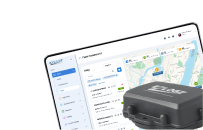
The EZLOGZ GPS and Asset Tracking solution allows managers to monitor vehicle and asset locations, routes, speed, and other operational information. Geofencing and automated alerts can help identify route deviations, unauthorized movement, and other events requiring attention.
ELD and Compliance
ELD integration supports driver log management and Hours-of-Service compliance. Connected records can reduce manual work and give fleet managers better visibility into driver availability and potential violations.
Driver Safety
Fleet tracking and telematics data can help managers monitor speeding, harsh braking, idling, and other behaviors. Integration with fleet safety tools and dashcams provides additional context for coaching and incident review.
Maintenance and Reporting
EZLOGZ supports fleet reporting, analytics, vehicle inspections, DVIR management, and maintenance-related workflows. Centralizing this information helps businesses identify trends and respond to operational exceptions.
Connected Fleet Ecosystem
In addition to real-time GPS tracking, EZLOGZ offers fleet-management capabilities related to ELD, dashcams, fuel management, load management, DVIR, and API integration. These connected tools can reduce the need to maintain several disconnected platforms.
Businesses considering the platform should request an individual demonstration and evaluate the system against their fleet size, vehicle types, required integrations, and operational objectives. Explore EZLOGZ fleet management solutions.
Purchasing fleet management software requires a structured evaluation of operational requirements, technical capabilities, hardware, integrations, security, support, scalability, and total cost.
Begin by defining the specific problems the software must solve. Ask providers to demonstrate relevant workflows rather than relying on general feature lists. Verify that the system supports your vehicles, assets, compliance requirements, and existing business applications.
A pilot program can provide the strongest evidence of whether a platform is suitable. Test it under real operating conditions, collect feedback from the people who will use it, and compare the results with established baseline metrics.
The right platform should do more than display vehicle locations. It should help the business make better decisions, control operating costs, improve safety, simplify compliance, and prepare the fleet for future growth.
FAQ
Essential features may include real-time GPS tracking, geofencing, driver behavior monitoring, route management, fuel analysis, maintenance scheduling, reporting, mobile access, and integrations. The final requirements depend on the fleet’s operating model.
Pricing depends on hardware, installation, vehicle count, subscription features, connectivity, integrations, and contract terms. Businesses should compare the complete cost over the entire contract period.
Yes. The software can identify excessive idling, speeding, unnecessary mileage, inefficient routes, and unauthorized trips. Managers must use these insights to implement operational and driver-behavior improvements.
Many commercial fleet platforms support ELD integration. Confirm whether the integration is native, which devices are compatible, and whether additional subscriptions or hardware are required.
Yes. Small fleets can benefit from vehicle visibility, maintenance reminders, route records, and fuel control. The platform should be affordable, easy to implement, and scalable as the business grows.
Some platforms support mixed fleets through several types of tracking hardware. Verify that the provider offers suitable devices for powered vehicles, trailers, containers, and non-powered equipment.
Implementation time depends on fleet size, hardware installation, integrations, data migration, and training requirements. A small fleet may deploy quickly, while an enterprise implementation may require several phases.
GPS tracking primarily provides vehicle or asset location data. Fleet management software combines tracking with operational tools such as driver monitoring, maintenance, compliance, reporting, fuel management, and integrations.
Compare the complete cost of the platform with measurable savings in fuel, maintenance, labor, downtime, administration, accidents, and asset utilization. Baseline data should be recorded before implementation.
Test tracking accuracy, hardware reliability, alerts, reports, mobile access, integrations, usability, and support responsiveness. The trial should use real vehicles, drivers, routes, and operating conditions.