

Contents:
- What Is Fleet Tracking Software?
- Why Commercial Trucking Companies Need Fleet Tracking Software
- Essential Fleet Tracking Software Features
- How to Evaluate Fleet Tracking Software
- Cloud-Based vs. On-Premises Systems
- Understanding Fleet Tracking Software Pricing
- How to Measure Return on Investment
- Questions to Ask Fleet Tracking Software Vendors
- Common Purchasing Mistakes
- Fleet Tracking Software Implementation Checklist
- Why Consider EZLOGZ?
- Final Buyer’s Checklist
- FAQ:
Managing a commercial trucking fleet requires more than knowing where each vehicle is located. Fleet managers must control fuel expenses, coordinate drivers, meet delivery schedules, maintain vehicles, improve safety, and comply with complex transportation regulations.
Fleet tracking software brings these responsibilities into a centralized digital environment. A modern platform can combine real-time GPS tracking with electronic logging devices, driver monitoring, dispatch tools, maintenance scheduling, fuel reporting, safety systems, and operational analytics.
However, not every platform is designed for the realities of commercial trucking. This buyer’s guide explains which features matter, how to compare vendors, what costs to consider, and how to select a solution that can support both current operations and future growth.
What Is Fleet Tracking Software?
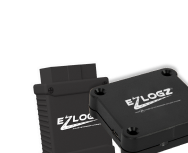
Fleet tracking software is a digital platform used to monitor vehicles, drivers, routes, and operational activity. It receives information from GPS trackers, electronic logging devices, telematics sensors, dash cameras, mobile applications, and vehicle diagnostic systems.
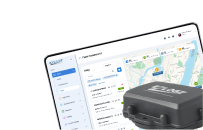
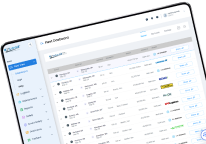
The collected information is transmitted to a cloud-based dashboard where authorized users can monitor:
- Current vehicle locations;
- Historical routes and trips;
- Vehicle speed and direction;
- Driver duty status;
- Engine activity;
- Fuel consumption;
- Idling time;
- Driver behavior;
- Vehicle faults;
- Inspection results;
- Maintenance requirements;
- Arrival and departure times.
Instead of relying on telephone calls, spreadsheets, and separate software products, managers receive a consolidated view of fleet operations.
How Fleet Tracking Systems Work
A fleet tracking system typically includes four components:
- In-vehicle hardware. A GPS or telematics device connects to the truck and collects location, mileage, engine, and movement data.
- Communication network. Information is transmitted through cellular or satellite connectivity.
- Cloud platform. The software processes and organizes the information for reporting, alerts, and analysis.
- Driver and manager applications. Drivers use mobile applications for logs, inspections, documents, and communication, while managers access the fleet dashboard.
The amount of information available depends on the hardware and software package. A basic tracker may report only location and trip history. A comprehensive fleet management platform may also support ELD compliance, IFTA reporting, dispatch, DVIR, fuel management, dash cameras, maintenance, and analytics.
Fleet Tracking Software vs. Basic GPS Tracking
Basic GPS tracking answers a limited set of questions:
- Where is the vehicle?
- Where has it traveled?
- When did it arrive?
- How long did it remain at a location?
Integrated fleet tracking software provides a wider operational context. It can show whether the driver has sufficient available hours, whether the vehicle has an unresolved inspection defect, how much time was lost to idling, and whether a route deviation may affect the delivery schedule.
For commercial trucking companies, this distinction is important. Location information is valuable, but location combined with compliance, safety, maintenance, and dispatch data is significantly more actionable.
Why Commercial Trucking Companies Need Fleet Tracking Software
Real-Time Fleet Visibility
Fleet managers cannot make effective dispatch decisions without accurate vehicle information. Real-time tracking provides a current view of trucks, trailers, and other assets from a centralized dashboard.
Dispatchers can use this visibility to:
- Identify the closest available driver;
- Respond to route disruptions;
- Estimate arrival times;
- Locate delayed vehicles;
- Confirm completed stops;
- Detect unauthorized vehicle use;
- Provide customers with more accurate updates.
Real-time visibility also reduces the need to call drivers repeatedly for location updates. This allows drivers to concentrate on the road while dispatchers work from reliable operational data.
Better Route Planning and Dispatch
Poor routing increases mileage, fuel consumption, labor costs, and delivery times. Fleet tracking software allows dispatchers to compare current vehicle positions with planned routes and make adjustments when operating conditions change.
A capable platform should help fleets:
- Assign loads based on vehicle availability;
- Reduce unnecessary or out-of-route mileage;
- Identify recurring delays;
- Monitor scheduled stops;
- Improve vehicle utilization;
- Respond more efficiently to urgent customer requests.
Route optimization should not be treated as a one-time planning exercise. The most useful systems allow dispatchers to review actual trip data and improve future route decisions.
Reduced Fuel Costs
Fuel remains one of the largest variable expenses in commercial trucking. Fleet tracking software can reveal operating patterns that are difficult to identify through fuel receipts alone.
Managers can monitor:
- Excessive idling;
- Speeding;
- Inefficient routes;
- Unauthorized vehicle use;
- Fuel consumption by vehicle;
- Fuel purchases;
- Miles traveled;
- Changes in fuel economy.
The software does not automatically reduce fuel costs. Savings depend on how consistently managers review the information, coach drivers, optimize routes, and correct inefficient operating practices.
Improved Driver Safety
Telematics data can help identify behaviors associated with increased risk, including:
- Speeding;
- Harsh braking;
- Rapid acceleration;
- Sharp cornering;
- Following too closely;
- Distracted driving;
- Failure to use a seat belt.
Alerts allow safety managers to review significant events and address recurring patterns. When telematics data is integrated with dash camera footage, managers gain additional context. They can determine whether an event resulted from unsafe behavior, road conditions, another vehicle, or an appropriate defensive maneuver.
The objective should be constructive safety coaching rather than constant punishment. Companies should explain what data is collected, why it is collected, how long it is retained, and how it will be used.
Preventive Maintenance and Reduced Downtime
Unexpected breakdowns can delay freight, disrupt driver schedules, and generate expensive emergency repair costs. Fleet tracking software can support preventive maintenance by organizing mileage, engine hours, inspection results, fault codes, and service history.
Managers can create maintenance schedules based on:
- Mileage;
- Engine hours;
- Calendar dates;
- Manufacturer recommendations;
- Inspection defects;
- Diagnostic fault codes.
Automated reminders help maintenance teams complete service before a minor issue becomes a road failure. A good system should also make it easy to determine whether reported defects were inspected, repaired, and documented.
Improved Customer Service
Customers expect reliable delivery information. Fleet tracking software allows dispatchers to provide more accurate estimated arrival times and proactively communicate when delays occur.
Depending on the platform, fleets may also provide customers with limited shipment visibility without exposing sensitive internal information. This reduces inbound status requests and strengthens transparency.
Essential Fleet Tracking Software Features
Not every trucking company requires the same configuration. However, the following capabilities should be evaluated when comparing solutions.
Real-Time Vehicle and Asset Tracking
The platform should display current vehicle locations on a clear map. Buyers should ask how frequently locations update because “real time” can mean different things among vendors.
Review whether the software supports:
- Trucks and tractors;
- Trailers;
- Containers;
- Powered equipment;
- Non-powered assets;
- Historical route playback;
- Location sharing;
- Unauthorized movement alerts.
Asset tracking is particularly important for fleets that regularly drop trailers at customer facilities, yards, or distribution centers.
Geofencing
A geofence is a virtual boundary placed around a location such as a terminal, warehouse, customer facility, restricted area, or fuel station.
The system can generate an event when a vehicle enters or leaves the defined area. Geofencing can support:
- Automatic arrival and departure records;
- Detention-time documentation;
- Customer notifications;
- Yard management;
- Unauthorized-use detection;
- Route compliance;
- Payroll or billing verification.
Buyers should determine whether geofences can be created in bulk and whether alerts can be customized for different vehicles, users, and time periods.
Driver Behavior Monitoring
Driver monitoring should present trends, not simply generate isolated alerts. Look for configurable scorecards that help managers compare performance fairly across routes, vehicle types, and operating conditions.
Important events may include speeding, harsh braking, sudden acceleration, sharp cornering, idling, seat-belt use, and unsafe following distance.
Ask vendors whether event thresholds can be adjusted. A rigid system may generate too many low-value alerts, causing managers to ignore genuinely important events.
ELD and Hours-of-Service Integration
An ELD synchronizes with the vehicle engine and automatically records driving time and other information used for hours-of-service records. The federal ELD rule generally applies to drivers who are required to maintain records of duty status, subject to specified exceptions.
The FMCSA states that carriers must use certified devices registered on its official ELD list. Carriers are also responsible for periodically checking whether their device remains registered or has been added to the revocation list.
When evaluating ELD capabilities, confirm that the platform supports:
- Automatic driving-time recording;
- Driver log certification;
- Log edits with annotations;
- Unassigned driving management;
- Roadside data transfer;
- Hours-of-service alerts;
- Team-driver operations;
- Personal conveyance and yard-move settings;
- Required record retention;
- Malfunction procedures;
- Administrator and driver training.
The ELD rule does not itself require real-time commercial vehicle tracking. GPS tracking is an additional business function that can be integrated with the ELD environment.
Driver Vehicle Inspection Reports
Digital Driver Vehicle Inspection Reports allow drivers to record vehicle condition through a mobile application. Defects can be sent directly to fleet and maintenance personnel.
A useful DVIR workflow should include:
- Pre-trip and post-trip inspections;
- Configurable inspection checklists;
- Photo attachments;
- Driver signatures;
- Defect notifications;
- Repair status;
- Mechanic certification;
- Searchable inspection history.
The objective is not merely to replace paper forms. The system should connect inspection findings with repair and maintenance workflows.
IFTA Reporting
The International Fuel Tax Agreement allows participating jurisdictions to cooperate in administering motor-fuel use taxes. Carriers generally report covered mileage and fuel activity to their base jurisdiction.
Fleet software can simplify the preparation process by combining GPS mileage with fuel-purchase information. Useful functionality includes:
- Mileage by jurisdiction;
- Total and taxable distance;
- Fuel purchases by jurisdiction;
- Fuel-card integration;
- Receipt storage;
- Quarterly reports;
- Exportable supporting data.
Software can reduce manual work, but the carrier remains responsible for reviewing records and filing accurate reports. Buyers should confirm which reports the vendor generates and whether the software files returns or only prepares data.
Fuel Management
Fuel management should provide more than a total-cost figure. The platform should help managers identify why fuel performance changes.
Look for:
- Fuel economy by truck and driver;
- Fuel-card integration;
- Idling reports;
- Purchase verification;
- Fuel level monitoring where supported;
- Possible fuel-theft indicators;
- Cost-per-mile analysis;
- Comparison by vehicle, terminal, or route.
Integration with GPS data may also help identify purchases made when the assigned vehicle was not present at the fuel location.
Vehicle Diagnostics and Maintenance
Depending on the connected hardware, telematics systems may collect engine diagnostic information. Ask which vehicle makes, models, and engine protocols are supported.
Maintenance functionality should ideally include:
- Diagnostic trouble codes;
- Service reminders;
- Work-order tracking;
- Repair history;
- Parts and labor records;
- Warranty information;
- Vehicle downtime reports;
- Cost history by asset.
Historical maintenance data should remain accessible if a vehicle changes terminals, drivers, or operating assignments.
Dash Camera Integration
Dash cameras can provide evidence for collision investigations, insurance claims, driver exoneration, and safety coaching.
Before purchasing, compare:
- Road-facing and driver-facing options;
- Video quality;
- Night recording;
- Event-triggered recording;
- Live view availability;
- Storage and retention periods;
- Video download procedures;
- AI event detection;
- Audio settings;
- Privacy controls.
Fleets should review applicable privacy, employment, recording, and data-protection laws before deploying driver-facing cameras or audio recording.
Reports and Analytics
A platform may collect large amounts of data without making that data useful. Buyers should evaluate whether reports are understandable and actionable.
Common reports include:
- Vehicle utilization;
- Trip history;
- Idling;
- Speeding;
- Driver safety;
- Fuel economy;
- Mileage by jurisdiction;
- Maintenance status;
- Vehicle inspections;
- Geofence activity;
- Hours-of-service risk;
- Cost per mile.
Reports should be filterable by driver, vehicle, terminal, date, and operating group. Scheduled reports and data exports are valuable for companies that need to share information with management, accounting, compliance, or customers.
Mobile Applications
Drivers and managers increasingly rely on mobile access. The driver application should be stable, intuitive, and suitable for daily use under real operating conditions.
Evaluate whether drivers can use the application to:
- Manage electronic logs;
- Complete inspections;
- Upload documents;
- Receive dispatch information;
- Review alerts;
- Send messages;
- Access training or support;
- Continue essential functions during connectivity interruptions.
The manager application should allow you to review vehicle locations, critical alerts, and operational status outside the office.
How to Evaluate Fleet Tracking Software
1. Define the Problems You Need to Solve
Begin with measurable operational problems rather than a list of attractive features.
Examples include:
- Excessive idling;
- Frequent out-of-route mileage;
- Limited trailer visibility;
- Repeated HOS violations;
- Poor maintenance documentation;
- Slow IFTA report preparation;
- High accident frequency;
- Unreliable arrival estimates;
- Too many disconnected systems.
Create a prioritized list of requirements. Separate essential features from optional features so that demonstrations remain focused on actual business needs.
2. Consider Fleet Size and Operating Model
A solution for a ten-truck regional carrier may not be appropriate for a multi-terminal fleet with hundreds of drivers.
Consider:
- Current and projected fleet size;
- Long-haul, regional, or local operations;
- Company drivers and owner-operators;
- Number of terminals;
- Vehicle and trailer types;
- Cross-border operations;
- Seasonal fleet changes;
- Team-driver requirements;
- Office and administrator roles.
The platform should accommodate future growth without requiring a complete system replacement.
3. Evaluate Ease of Use
A system that is difficult to use will produce incomplete data and frustrated employees. During a demonstration, ask drivers, dispatchers, safety managers, and maintenance personnel to evaluate the workflows they will use most frequently.
Test how many steps are required to:
- Locate a truck;
- Review available driver hours;
- Complete a DVIR;
- Find a specific trip;
- Retrieve dash camera footage;
- Create a geofence;
- Generate an IFTA mileage report;
- Assign permissions;
- Correct an ELD record;
- Export operational data.
An attractive dashboard is not enough. The platform must perform routine tasks efficiently.
4. Verify Hardware Compatibility
Determine how devices connect to the vehicles and whether professional installation is required.
Ask the vendor:
- Which vehicle years, makes, and models are supported?
- Does the hardware connect through a diagnostic port?
- Are additional adapters required?
- Can devices be transferred between vehicles?
- What happens if a device loses cellular connectivity?
- Is data stored locally until the connection returns?
- What warranties apply?
- How quickly are replacement devices shipped?
Hardware reliability is fundamental. Excellent software cannot compensate for devices that regularly disconnect or fail to transmit accurate information.
5. Review Integrations and API Access
Fleet tracking software should work with the company’s broader technology environment. Common integrations include:
- Transportation management systems;
- Fuel-card providers;
- Accounting software;
- Payroll systems;
- Maintenance platforms;
- Load boards;
- Insurance and safety systems;
- Customer portals.
Ask whether integrations are native, partner-provided, or dependent on custom development. If an API is available, review documentation, data limits, security requirements, and additional fees.
6. Examine Data Security
Fleet platforms may store location history, driver information, inspection records, video, compliance data, and customer details.
Buyers should ask about:
- Encryption during transmission and storage;
- Multi-factor authentication;
- Role-based permissions;
- Audit logs;
- Data backups;
- Incident-response procedures;
- Data-retention controls;
- Third-party security reviews;
- Data ownership;
- Data deletion and export after contract termination.
Permissions should allow organizations to separate access for dispatchers, safety managers, maintenance teams, administrators, and external partners.
7. Evaluate Training and Customer Support
Implementation quality can determine whether the project succeeds. Ask what support is available during installation, onboarding, and daily use.
Important questions include:
- Is support available 24/7?
- Which communication channels are offered?
- Are support representatives familiar with trucking and ELD issues?
- Is driver training included?
- Are administrator training sessions available?
- Is there a searchable knowledge base?
- Is a dedicated account manager assigned?
- What are the response targets for critical problems?
A vendor should be able to explain its escalation process for urgent ELD, hardware, or connectivity issues.
Cloud-Based vs. On-Premises Systems
Most modern fleet tracking platforms are cloud-based. Users can access them through a web browser or application without maintaining local servers.
Cloud platforms generally offer:
- Faster deployment;
- Automatic software updates;
- Remote access;
- Easier scalability;
- Lower internal IT requirements;
- Centralized data storage.
On-premises systems may provide more direct infrastructure control, but they normally require greater IT resources, maintenance, security management, and capital investment.
For most trucking companies, a cloud-based platform is the more practical choice. Organizations with specialized security or infrastructure requirements should conduct a more detailed technical assessment.
Understanding Fleet Tracking Software Pricing
Fleet tracking software is commonly priced as a monthly fee per vehicle, asset, camera, or user. Hardware may be purchased, leased, financed, or included with a service agreement.
Potential charges include:
- Hardware costs;
- Monthly subscriptions;
- Activation fees;
- Installation;
- Cellular data;
- Dash camera service;
- Video storage;
- Premium reports;
- API access;
- Custom integrations;
- Training;
- Hardware replacement;
- Early termination fees.
Do not compare vendors using the advertised monthly rate alone. Request a written estimate covering the complete contract period.
Calculate the Total Cost of Ownership
A useful comparison should include:
[
\text{Total Cost of Ownership} =
\text{Hardware} +
\text{Installation} +
\text{Subscription Fees} +
\text{Integration Costs} +
\text{Training} +
\text{Support} +
\text{Replacement Costs}
]
Review contract length, renewal terms, price increases, minimum device commitments, cancellation conditions, and data-export rights.
How to Measure Return on Investment
The financial value of fleet tracking software should be measured against a defined baseline.
Potential savings may come from:
- Lower fuel consumption;
- Reduced idling;
- Fewer unnecessary miles;
- Better vehicle utilization;
- Lower accident frequency;
- Faster claims resolution;
- Reduced administrative labor;
- More efficient IFTA preparation;
- Fewer compliance violations;
- Improved maintenance planning;
- Reduced downtime;
- Recovery of stolen vehicles or assets.
For example, consider a fleet that reduces average idling cost by $75 per truck per month across 100 trucks:
[
100 \times $75 \times 12 = $90,000
]
This calculation represents only one potential source of savings. A complete ROI model should also account for software costs and verify that improvements are sustained over time.
Use data from at least several months before and after implementation. Seasonal changes, freight volume, fuel prices, and route differences should be considered when interpreting results.
Questions to Ask Fleet Tracking Software Vendors
Before signing a contract, ask each vendor the same core questions:
- Is the platform designed specifically for commercial trucking?
- Which features are included in the standard subscription?
- Which capabilities require additional fees?
- How often does vehicle location update?
- What happens when cellular coverage is unavailable?
- Is the ELD currently registered with the FMCSA?
- How does the company respond if an ELD is revoked?
- Which vehicle types and diagnostic connections are supported?
- Can the platform integrate with our current systems?
- Are API access and integrations included in the price?
- Who owns the collected data?
- How can we export our data?
- What security protections are used?
- What training is provided to drivers and administrators?
- Is support available outside normal business hours?
- What is the hardware warranty?
- Can we test the system in several vehicles before full deployment?
- What are the contract, renewal, and cancellation terms?
- How does pricing change as the fleet grows?
- Can you provide references from similar trucking companies?
Record the answers in a vendor comparison table. Written responses are more reliable than depending on information presented verbally during a sales demonstration.
Common Purchasing Mistakes
Selecting a Platform Based Only on Price
The least expensive solution may lack important features, integrations, reporting capabilities, or reliable support. Compare total operational value rather than only the monthly subscription.
Purchasing Unnecessary Features
A large feature list does not automatically create value. Prioritize tools that address documented business problems and can be incorporated into daily workflows.
Ignoring Driver Experience
Drivers interact with the system every day. Complicated applications, unreliable connections, and unclear workflows can lead to errors and resistance.
Overlooking Contract Terms
Long commitments, automatic renewals, hardware obligations, and termination charges can significantly affect total cost. Review the complete agreement before deployment.
Failing to Conduct a Pilot
A controlled pilot allows the company to evaluate installation, connectivity, data accuracy, reporting, support, and user acceptance before committing the entire fleet.
Ignoring Implementation Requirements
Even capable technology can fail without clear ownership, training, and performance goals. Assign an internal project manager and define who will respond to alerts, correct data, maintain users, and monitor results.
Fleet Tracking Software Implementation Checklist
Before Deployment
- Define operational objectives;
- Establish baseline performance metrics;
- Select pilot vehicles and drivers;
- Confirm hardware compatibility;
- Review data and privacy policies;
- Prepare integrations;
- Assign internal responsibilities;
- Create a driver communication plan.
During Deployment
- Install and test hardware;
- Configure vehicles, drivers, and user permissions;
- Create geofences and alert rules;
- Connect third-party systems;
- Train drivers, dispatchers, and administrators;
- Verify ELD and roadside inspection procedures;
- Test reports and data exports.
After Deployment
- Monitor hardware connectivity;
- Review alert quality;
- Collect feedback from drivers and managers;
- Adjust thresholds and permissions;
- Confirm that employees are following new workflows;
- Measure results against the original baseline;
- Schedule periodic system and vendor reviews.
Why Consider EZLOGZ?
EZLOGZ provides a connected fleet management environment designed for trucking and transportation operations. Its platform combines real-time GPS fleet tracking with ELD functionality and additional fleet-management tools.
Depending on the selected configuration, EZLOGZ solutions include:
- GPS vehicle and asset tracking;
- Electronic logging and HOS management;
- Route and trip visibility;
- Driver behavior monitoring;
- Digital DVIR workflows;
- IFTA reporting tools;
- Fuel management;
- Dash camera solutions;
- Fleet applications;
- Reporting and analytics;
- API integration.
This integrated approach allows trucking companies to replace disconnected tools with a more centralized operating environment. Dispatchers, compliance teams, safety managers, maintenance personnel, and company leadership can work from connected data instead of maintaining separate records.
Before purchasing, fleet operators should request an EZLOGZ demonstration based on their actual operating model. The demonstration should use realistic workflows, such as reviewing available driver hours, finding a vehicle, generating an IFTA report, processing a DVIR defect, or investigating a safety event.
Final Buyer’s Checklist
Before selecting fleet tracking software, confirm that the proposed solution provides:
- Accurate real-time GPS tracking;
- Historical route and trip data;
- Geofencing and configurable alerts;
- Driver behavior monitoring;
- Registered ELD functionality when required;
- Hours-of-service management;
- Digital vehicle inspections;
- IFTA mileage reporting;
- Fuel and idling reports;
- Maintenance scheduling;
- Dash camera integration if needed;
- Mobile access;
- Custom reports and data export;
- Integration with existing systems;
- Role-based security;
- Transparent pricing;
- Reliable hardware;
- Driver and administrator training;
- Responsive customer support;
- Scalability for future growth.
The best fleet tracking software is not necessarily the platform with the longest feature list. It is the system that solves the fleet’s most important operational problems, provides dependable data, supports regulatory responsibilities, and can be used consistently by drivers and office personnel.
Commercial trucking companies should begin with clear objectives, compare total ownership costs, verify ELD status, test essential workflows, and conduct a controlled pilot before full deployment.
An integrated solution such as EZLOGZ can connect GPS tracking, ELD compliance, driver safety, inspections, fuel reporting, dash cameras, and operational analytics in one environment. When implemented with defined goals and proper training, fleet tracking software can become a central tool for controlling costs, improving safety, increasing visibility, and supporting sustainable fleet growth.
FAQ:
The best solution depends on the fleet’s size, operating model, compliance requirements, existing systems, and business objectives. Commercial carriers should prioritize reliable GPS data, trucking-specific ELD capabilities, integrations, reporting, hardware quality, and customer support.
Pricing varies by hardware, service package, location-update frequency, cameras, data storage, integrations, and contract term. Buyers should compare total cost over the complete contract rather than relying only on the advertised monthly rate.
Yes. It can identify excessive idling, speeding, inefficient routing, unnecessary mileage, and unusual fuel activity. Actual savings depend on whether the company uses this information to improve routes and driver practices.
No. GPS tracking and ELD functionality are different capabilities. If drivers are subject to the ELD rule, the carrier should verify that the proposed device is currently listed on the official FMCSA registry.
The appropriate frequency depends on the operation. Local delivery and time-sensitive dispatch may require more frequent updates than long-haul operations. Ask vendors to define their standard and optional update intervals.
Yes, when compatible asset trackers are installed. Fleets should confirm battery life, reporting frequency, environmental durability, and geofence-alert capabilities for non-powered assets.
Implementation time depends on fleet size, hardware installation, integrations, training requirements, and the complexity of existing processes. A phased deployment normally reduces operational risk.
Many platforms support native integrations or APIs for transportation management systems, fuel cards, accounting platforms, and other business applications. Confirm the integration scope, implementation responsibility, and cost before signing a contract.
Yes. Small fleets can benefit from improved dispatch visibility, reduced paperwork, maintenance reminders, fuel monitoring, and integrated compliance tools. The selected package should be affordable, easy to use, and scalable without including unnecessary enterprise features.